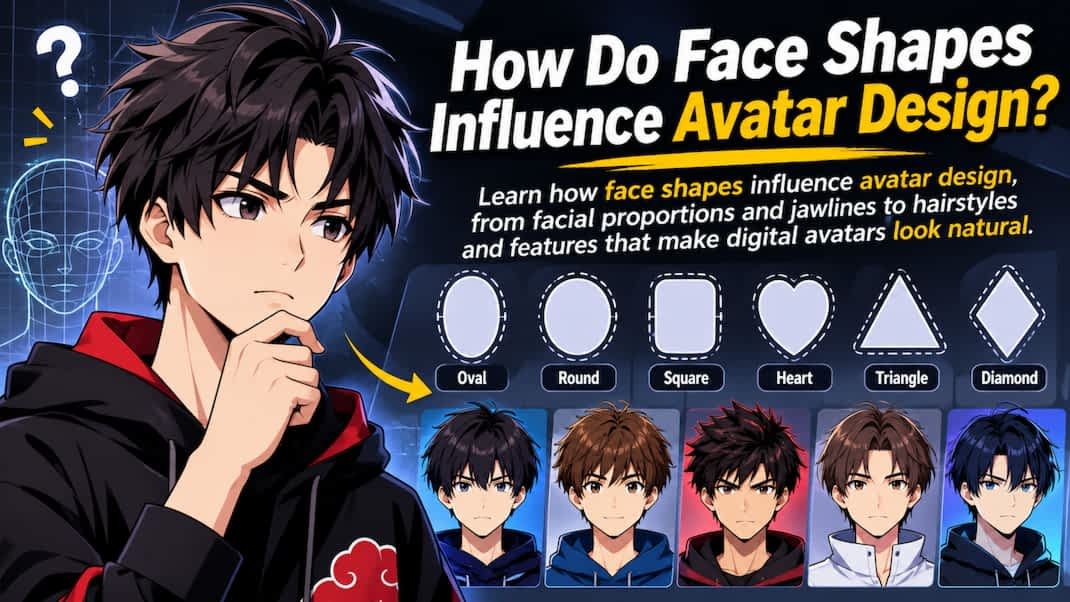
Creating a digital avatar involves more than choosing a hairstyle, eye color, or outfit. The shape of a face plays a major role in how an avatar looks, feels, and represents someone’s identity. From a rounded jawline to a sharp chin, facial proportions influence whether a digital character appears realistic, friendly, bold, or expressive. Understanding face shapes helps you create an avatar that looks balanced, recognizable, and visually appealing while keeping the unique features that make every face different.
What Is Face Shape, and Why Does It Matter in Avatar Design?
Face shape refers to the overall outline and proportions of a person’s face. It depends on features such as forehead width, cheekbone placement, jawline structure, and face length. While every face is unique, designers often group facial outlines into categories such as oval, round, square, heart, diamond, and oblong. These categories provide a useful starting point for understanding facial structure.
In avatar design, face shape creates the foundation for other visual elements. For example, a round face may look soft and approachable, while a square face can communicate strength or confidence in certain illustration styles. These impressions are artistic choices rather than fixed rules about personality. A designer can change them through expressions, colors, and other details.
Understanding facial proportions also helps prevent common design mistakes. An avatar may have accurate eyes, lips, and eyebrows but still look unfamiliar if the overall head shape is incorrect. The distance between features, the width of the face, and the shape of the jaw all contribute to recognition.
Key takeaway: Face shape provides the visual foundation for an avatar. Accurate facial proportions help improve resemblance, balance, and character expression.
How Do Different Face Shapes Affect Avatar Appearance?
Different face shapes influence how artists arrange facial features, hairstyles, and proportions. Each shape offers distinct design possibilities. However, most real faces combine characteristics from several categories rather than matching a single type perfectly.
Oval Face Shape
An oval face usually appears longer than it is wide, with a softly curved jawline and balanced forehead and cheekbone widths. Artists often use this shape as a flexible starting point because it works well with many illustration styles.
When designing an oval-faced avatar, focus on maintaining the face’s natural length. Avoid making the jaw too narrow or stretching the chin unnecessarily. Small changes to cheekbone width and forehead height can help preserve the person’s recognizable appearance.
Round Face Shape
A round face typically has fuller cheeks, a curved jawline, and relatively similar measurements for face width and length. These features can create a soft appearance in cartoon and illustrated avatars.
To represent a round face accurately, use gentle curves around the cheeks and chin. Avoid adding sharp jaw angles unless the chosen art style requires them. Hairstyles with volume above the forehead can also change how long the face appears.
Square Face Shape
A square face often features a broad forehead, a defined jawline, and similar widths across the forehead, cheekbones, and jaw. This structure creates a strong geometric outline.
For square-faced avatars, emphasize the jaw’s width without exaggerating its corners. Rounded edges can make the design softer, while sharper angles may support a bold comic-book style. The best approach depends on the intended character design.
Heart-Shaped Face
A heart-shaped face generally features a wider upper face and a narrower chin. The forehead may appear prominent, while the jawline gradually tapers toward the bottom.
Designers can maintain this shape by keeping the upper facial area slightly wider than the lower portion. Hairstyles with side-swept sections or volume near the jaw can also influence the overall visual balance.
Diamond Face Shape
A diamond-shaped face commonly has prominent cheekbones and comparatively narrow forehead and jaw areas. The cheekbones often form the widest part of the facial outline.
In an avatar, careful cheekbone placement helps capture this structure. A slightly tapered forehead and chin can make the shape recognizable without making the face look overly angular.
Oblong Face Shape
An oblong face looks noticeably longer than it is wide. It may have a relatively straight jawline, a tall forehead, or extended cheek areas.
When creating an oblong-faced avatar, preserve the face’s vertical proportions without stretching individual features. Hairstyles with side volume may make the overall design appear more balanced.
Key takeaway: Each face shape affects an avatar’s outline, feature placement, and hairstyle choices. Preserve the person’s distinctive proportions instead of forcing the face into a perfect category.
How Do Facial Proportions Influence Avatar Accuracy?
Facial proportions describe how different features relate to one another in size, position, and distance. These relationships often matter more than individual details when designing a recognizable digital character.
For example, two people may share the same oval face shape but have very different appearances. One may have wide-set eyes and a short chin, while the other may have closely spaced eyes and a longer lower face. An accurate avatar must reflect these differences.
Designers commonly examine three main areas: the upper face, the middle face, and the lower face. The upper area includes the forehead and brow region. The middle area contains the eyes, nose, and cheekbones. The lower area includes the mouth, jaw, and chin. Comparing these regions helps identify the features that make a face distinctive.
Another useful concept is the golden ratio, a mathematical relationship of approximately 1.618 to 1. It sometimes appears in discussions of facial aesthetics and proportional design. However, it should not be treated as a universal rule for beauty or facial accuracy. Research on facial attractiveness shows that perceptions also depend on factors such as symmetry, average proportions, individual features, and personal or cultural preferences.
For readers interested in exploring facial proportions, Golden Ratio Face offers a relevant starting point for learning about facial measurements and visual balance. These ideas can support avatar design as reference tools rather than strict standards.
Key takeaway: Facial proportions help make avatars recognizable. Use measurements and proportional guides to understand a face, not to replace its natural individuality.
How Can You Identify Your Face Shape Before Designing an Avatar?
Identifying your face shape is a practical first step toward creating a digital character that resembles you. You do not need advanced design software or professional measuring tools to begin.
Start with a clear, front-facing photograph taken at eye level. Pull your hair away from your face so you can see the forehead, cheeks, and jaw. Avoid wide-angle distortion, heavy filters, or extreme camera angles because they can change how facial proportions appear.
Next, compare the main facial measurements:
- Forehead width: Measure the widest visible part of your forehead.
- Cheekbone width: Compare the distance between the outermost points of your cheekbones.
- Jawline width: Observe the distance across the lower face and the shape of its corners.
- Face length: Measure from the approximate hairline to the bottom of the chin.
These measurements help you identify general patterns. If your face length and width are similar, you may have a round or square outline. If your face is noticeably longer than it is wide, an oval or oblong classification may fit better. If the cheekbones form the widest part of your face, a diamond shape may be a useful reference.
Do not worry if your measurements fall between categories. Many people have mixed facial characteristics. For avatar design, those differences often make the final image more personal and memorable.
Key takeaway: Identify face shape by comparing forehead, cheekbone, jawline, and face-length measurements. Use the result as a guide rather than a rigid label.
How Does Face Shape Influence Hairstyles and Accessories?
Hairstyles can change the perceived proportions of an avatar even when the underlying face shape remains the same. This effect comes from how hair frames the forehead, cheeks, and jawline.
For example, a hairstyle with extra height may make a round face appear longer. Bangs can visually shorten a long forehead, while side volume can soften the outline of an oblong face. Short hairstyles may draw attention to the jawline, and layered styles can create softer transitions around prominent cheekbones.
Accessories also affect facial balance. Glasses, earrings, hats, and facial hair introduce new lines and shapes around the face. Round glasses can contrast with an angular jaw, while rectangular frames may add definition to softer facial outlines. These combinations are design options, not rules about what someone should wear.
When choosing accessories for an avatar, prioritize personal identity over conventional styling advice. If someone regularly wears large glasses or has a distinctive hairstyle, those elements may contribute more to recognition than an idealized facial proportion.
Consistency matters as well. Accessories should match the avatar’s visual style. A minimalist cartoon avatar may benefit from simple glasses and clean shapes, while a realistic 3D character may require more detailed textures, lighting, and proportions.
Key takeaway: Hairstyles and accessories influence how face shapes appear. Choose elements that support facial recognition and personal style rather than following fixed beauty rules.
How Do Face Shapes Work Across Different Avatar Styles?
Avatar styles range from simple flat illustrations to detailed 3D models. Each style uses facial proportions differently, so a successful design should balance realism with artistic expression.
In realistic avatars, facial structure requires careful attention. Small changes in jaw width, cheek placement, or forehead height can make a character look like someone else. Designers often rely on reference photographs and adjustable facial landmarks to improve accuracy.
Cartoon avatars allow more freedom. Artists may enlarge the eyes, simplify the nose, or exaggerate the head shape. However, maintaining a few signature facial characteristics helps the character remain recognizable. For example, a person with a long face and pointed chin can retain those traits even in a playful illustration.
Gaming avatars often combine realistic anatomy with stylized features. A player may adjust cheekbone height, jaw width, and chin length using character creation controls. These options support customization, but extreme settings can produce an unnatural look if the features do not work together.
Professional avatars used for profiles, online meetings, and digital branding generally benefit from consistency and clarity. The face should remain recognizable at small sizes, where fine details often disappear. Strong outlines, clear expressions, and simple colors can improve visibility.
Key takeaway: Different avatar styles use different levels of detail, but recognizable face shape and consistent proportions remain important across realistic, cartoon, gaming, and professional designs.
How Can You Create an Avatar That Matches Your Face Shape?
A strong avatar design starts with observation and improves through small adjustments. Instead of selecting random facial features, follow a structured process that keeps your appearance consistent.
Step 1: Choose a Clear Reference
Use a well-lit photograph that shows your face from the front. Neutral lighting makes it easier to see cheekbone placement, jaw contours, and facial proportions. A second photo from a slight angle can help clarify the shape of your chin and jaw.
Step 2: Select the Closest Face Shape
Choose the face-shape category that most closely matches your overall outline. Treat it as a starting template. You can adjust the forehead, cheeks, and chin individually to better reflect your actual features.
Step 3: Adjust Facial Landmarks
Facial landmarks are reference points used to describe the positions of features such as the eyes, nose, mouth, and chin.
Pay attention to eye spacing, eyebrow height, nose length, mouth width, and chin position. Compare each feature with the entire face rather than adjusting it in isolation. This approach helps prevent mismatched proportions.
Key takeaway: Facial landmarks help place features accurately. Their relationships are often more important than their individual sizes.
Step 4: Add Distinctive Personal Features
Include recognizable details such as freckles, eyebrow shape, facial hair, glasses, or a signature hairstyle. These elements help distinguish your avatar from characters with similar face shapes.
Step 5: Test the Avatar at Different Sizes
Reduce the finished image to a small profile-picture size. Check whether the face shape, hairstyle, and expression remain easy to recognize. If the character loses its identity, simplify small details and strengthen the most distinctive features.
Step 6: Refine Without Overcorrecting
Compare the avatar with the reference image and make gradual changes. Avoid adjusting every feature toward perfect symmetry or mathematical proportions. Natural facial differences often contribute to a convincing result.
Key takeaway: To create an avatar that resembles you, begin with your face shape, refine facial landmarks, add distinctive details, and test the design at different sizes.
What Common Mistakes Should You Avoid in Face-Based Avatar Design?
One common mistake is choosing a generic face template and changing only the hair or eye color. Although this approach is quick, it often produces characters that look similar to one another. Adjusting jaw width, cheekbone placement, and forehead proportions usually creates a more personal result.
Another mistake is exaggerating features without considering the overall design. Large eyes, a narrow chin, and wide cheekbones may work well in certain cartoon styles. However, combining these elements without a consistent visual approach can create an unbalanced character. Exaggeration works best when it supports a clear artistic goal.
Designers should also avoid treating one facial proportion as universally attractive or correct. A perfect mathematical ratio does not guarantee a natural appearance. Human faces show meaningful variation, and realistic avatars benefit from preserving these differences.
Finally, avoid relying on a single distorted photograph. Camera distance, lens choice, lighting, and facial expression can change the appearance of face shape. Comparing more than one suitable reference helps reduce these errors.
Key takeaway: Avoid generic templates, inconsistent exaggeration, rigid beauty standards, and distorted reference photos. Prioritize recognizable features and balanced design choices.
Frequently Asked Questions
1. Does Face Shape Really Matter When Creating an Avatar?
Yes. Face shape influences the overall structure of an avatar and helps viewers recognize the person or character it represents. Even simple illustrations benefit from accurate head and jaw proportions.
Quick answer: Face shape matters because it improves recognition, consistency, and visual character.
2. Which Face Shape Is Best for Avatar Design?
No single face shape is best. Oval, round, square, heart, diamond, and oblong faces can all produce appealing avatars. The ideal choice depends on the person’s actual features and the intended illustration style.
Quick answer: The best face shape is the one that matches the character’s identity and design goals.
3. Can the Golden Ratio Improve Avatar Design?
The golden ratio can serve as a reference for studying proportions, but it does not define an ideal face. Designers should combine proportional guidelines with individual facial characteristics.
Quick answer: The golden ratio is an optional design reference, not a universal standard for attractive or accurate avatars.
4. How Can I Make a Cartoon Avatar Look Like Me?
Keep your main facial characteristics, including head shape, jawline, eyebrow shape, and hairstyle. You can simplify or exaggerate details while preserving the features that make your appearance distinctive.
Quick answer: Preserve recognizable facial structure and signature details, even when using a cartoon style.
5. Can I Change My Avatar’s Face Shape After Creating It?
Many avatar editors allow users to adjust facial proportions after the initial design. Available controls vary, but common options include face length, jaw width, cheek fullness, and chin shape.
Quick answer: Many avatar tools support face-shape adjustments, making it possible to refine your design later.
Conclusion: Why Is Face Shape Essential for Better Avatar Design?
Face shape influences nearly every aspect of avatar design, from facial proportions and feature placement to hairstyles and visual expression. Understanding these relationships helps designers create characters that feel recognizable without relying on generic templates or unrealistic beauty standards.
The most effective approach combines careful observation with creative freedom. Start with the natural facial outline, maintain important proportions, and adjust details to match the intended visual style. Whether the goal is a professional profile image, a gaming character, or a cartoon illustration, preserving unique facial features makes the final result more meaningful.
Key takeaway: Effective avatar design combines face-shape awareness, balanced proportions, and personal details. The goal is not to create a mathematically perfect face but to build a recognizable and expressive digital identity